The worry-free collaborative LaTeX editor
Write papers and theses together in real time, then get them reviewed in the same place, right on the PDF.
- Comments and suggested changes, free on every plan
- 60-second compiles on the free plan, 6x Overleaf's
- Hosted in the EU, with a DPA for your institution
- Git sync with any provider
Free plan: 10 active projects, unlimited collaborators and reviewers. No credit card required.
Moving from Overleaf? See how to bring your projects
See it before you sign up
Compile a real LaTeX document, right now
This is the editor itself, not a screen recording. Edit anything and press Compile — a real TeX Live installation on our servers in the EU typesets it and hands back a PDF.
app.inscrive.io/try
Open the live editorOpens in a new tab, where there is room for it. Nothing to install, nothing to sign up for.
- No account, no card
- Real pdfLaTeX, not an approximation
- Nothing is stored
New: review mode
Stop emailing annotated PDFs
Comments, suggested changes and decisions now live in the document itself. Invite as many reviewers as you need, free on every plan.


-
Invite
Add your supervisor or co-author by email and pick their role.
-
Review
They comment on the PDF or the source, and suggest new wording.
-
Apply
You reply, apply the changes you agree with and resolve the rest.
Comments on the PDF
Feedback right on the page
Click to pin a comment, or drag a box around an equation, figure or paragraph. Your reviewer never has to hunt through LaTeX to find the sentence they mean.
- Each comment links back to its place in the source
- Marks follow their words when you edit and recompile
- Math in comments renders as math


Suggested changes
From suggestion to fixed in one click
Reviewers select text and propose new wording. You see exactly what would change before a single character of your document moves.
- A word-by-word difference, or a preview of the result
- Apply makes the edit and resolves the thread
- If the text has changed too much, you are told why it cannot apply


Roles
Let people review without touching your text
Give each person the access they need. Reviewers and Viewers cannot edit your files, and you can change a role at any time.
- Editors write, comment and apply suggestions
- Reviewers comment and suggest changes
- Viewers read and follow the discussion

For supervisors
Your supervisor starts on the PDF
Reviewers open straight into the finished document, ready to comment. All they need is a free account from your invite.
- No LaTeX installation and no Pro plan needed
- The source is one click away when they want it
- Projects shared with them don't use up their project limit


Find any thread
Every thread in the project in one panel, file by file. Search it, filter by person, file or state, and jump to the next unread.

Bring the right person in
@mention anyone who can review. Add math, lists, links, screenshots and files to any comment or reply.

Emails only if you want them
Choose all activity, only mentions and replies, or none. You get at most one email per project every 10 minutes.

Write and review on your phone
The whole editor works on a phone: edit the source, compile with one tap, jump from a line to its place in the PDF and answer review threads from the train.
- Edit the source and compile with one tap
- Jump from a line to its place in the PDF
- Read and answer every review thread


Get your next draft reviewed here
All of review is free. When your document outgrows 60-second compiles, one Pro plan gives everyone in the projects you own 480 seconds.
Who uses inscrive.io
8,000+
researchers and students use inscrive.io
130+
countries they write from
EU
servers store and compile every document
Simple, honest pricing
How inscrive.io compares
The same nine questions, answered for inscrive.io, Overleaf and OpenAI Prism. Every competitor fact is taken from the vendor's own pages.
Prism shuts down on 1 January 2027. Move your Prism projects
Where documents are hosted
- inscrive.io
-
 EU servers
- Overleaf
- Google Cloud US servers
- OpenAI Prism
- Outside the EU, including the US
inscrive.io · 1 processor
- Hetzner Hosting, storage and backups
Source: Our sub-processors.
Overleaf · 16 processors
- Algolia Data processing
- Amazon Web Services Hosting
- Anthropic Data processing
- BugSnag Application operations
- Customer.io User communication
- FrontApp Support
- Google Cloud Platform Hosting
- GrowthBook Application operations
- Heroku Hosting
- MailChimp Service messages
- MongoDB Atlas Hosting
- OpenAI Data processing
- Redis Application operations
- SendGrid Service emails
- Sentry Application operations
- SheerID User verification
Overleaf lists 20, all in the US. Its four payment processors (Kount, PayPal, Recurly and Stripe) are not shown here. Source: Overleaf's data processors.
Price
- inscrive.io
- Free plan. Pro €7/month
- Overleaf
- Free plan. Standard €21/month, or €179/year
- OpenAI Prism
- Free
Compile time, free plan
- inscrive.io
- 60 seconds
- Overleaf
- 10 seconds (240 on paid plans)
- OpenAI Prism
- Unlimited, according to OpenAI
Comments
- inscrive.io
- On the source and the PDF, on every plan
- Overleaf
- In the editor. PDF comments not documented
- OpenAI Prism
- Yes. PDF comments not documented
Suggested changes
- inscrive.io
- On every plan
- Overleaf
- Track changes, paid plans only
- OpenAI Prism
- Not documented
Reviewers
- inscrive.io
- Unlimited, on every plan
- Overleaf
- Count as collaborators: 1 on Free, 10 on Standard
- OpenAI Prism
- No reviewer role documented
Git
- inscrive.io
- Any Git provider, on every plan
- Overleaf
- Git and GitHub sync, paid plans only
- OpenAI Prism
- Not available yet
Account needed
- inscrive.io
- inscrive.io account. The demo needs none
- Overleaf
- Overleaf account
- OpenAI Prism
- Personal ChatGPT account
Data processing agreement
- inscrive.io
- Signed with your institution
- Overleaf
- For organisations
- OpenAI Prism
- None that covers Prism
As of October and November 2026. Overleaf's prices exclude VAT. Overleaf also has a Student plan at €11/month for students at degree-granting institutions.
Sources: Overleaf: plans and prices, plan limits, Git and GitHub sync, reviewing, premium features, privacy notice and security, data processors and DPA. OpenAI: Prism, Prism announcement and shutdown notice, Prism help: access, Git and data, privacy policy (Europe), services agreement and DPA scope. inscrive.io: pricing, GDPR and security.
Longer reads: a comparison of Overleaf alternatives and inscrive.io vs Overleaf in detail.
Templates
Start from your university's template
Open a thesis template as your own project. Each card links to the public repository and credits its authors. Most are made by the community, not by the university.
Aarhus University
On university GitLabMaster's thesis
- By
- SECS SW Projects group
- License
- Not stated
IT University of Copenhagen
UnofficialThesis
- By
- Fabricio Batista Narcizo
- License
- MIT, with bundled LPPL class files
NOVA University Lisbon and other Portuguese universities
UnofficialNOVAthesis
- By
- João M. Lourenço
- License
- LPPL 1.3c
Technical University of Munich
UnofficialThesis (informatics guidelines)
- By
- Florian Walch and contributors
- License
- CC BY-SA 4.0
University of Stuttgart
UnofficialScientific thesis (computer science)
- By
- the latextemplates project
- License
- 0BSD
University of Cambridge
UnofficialPhD thesis (Department of Engineering)
- By
- Krishna Kumar
- License
- MIT
Opening a template asks you to sign in or create a free account, then to confirm the import. Each one counts toward the free plan's 10 projects.
Get stuff done
Everything your research workflow needs
No installs, no package juggling, no lost work. Open the browser and write — inscrive.io takes care of the rest.
- Everything in one place.
- A complete, fully online LaTeX environment — editor, compiler, templates and collaboration — with nothing to set up.
- Agnostic Git integrations.
- Sync projects with any Git provider — GitHub, GitLab, Bitbucket, Gitea or your university's self-hosted server. If it speaks Git with a token or password, it works.
- Advanced version control.
- Rewind any document to an earlier version, compare changes and never lose a paragraph again.
- Create and share templates.
- Start from your department's thesis template, or publish your own for the whole team.
- Reference manager sync.
- Authorize Mendeley or Zotero and keep an always-synced
.bibfile — with live IntelliSense and autocomplete for every external reference.

Rather drive it yourself? Open the live editor
The details
Small things that save hours
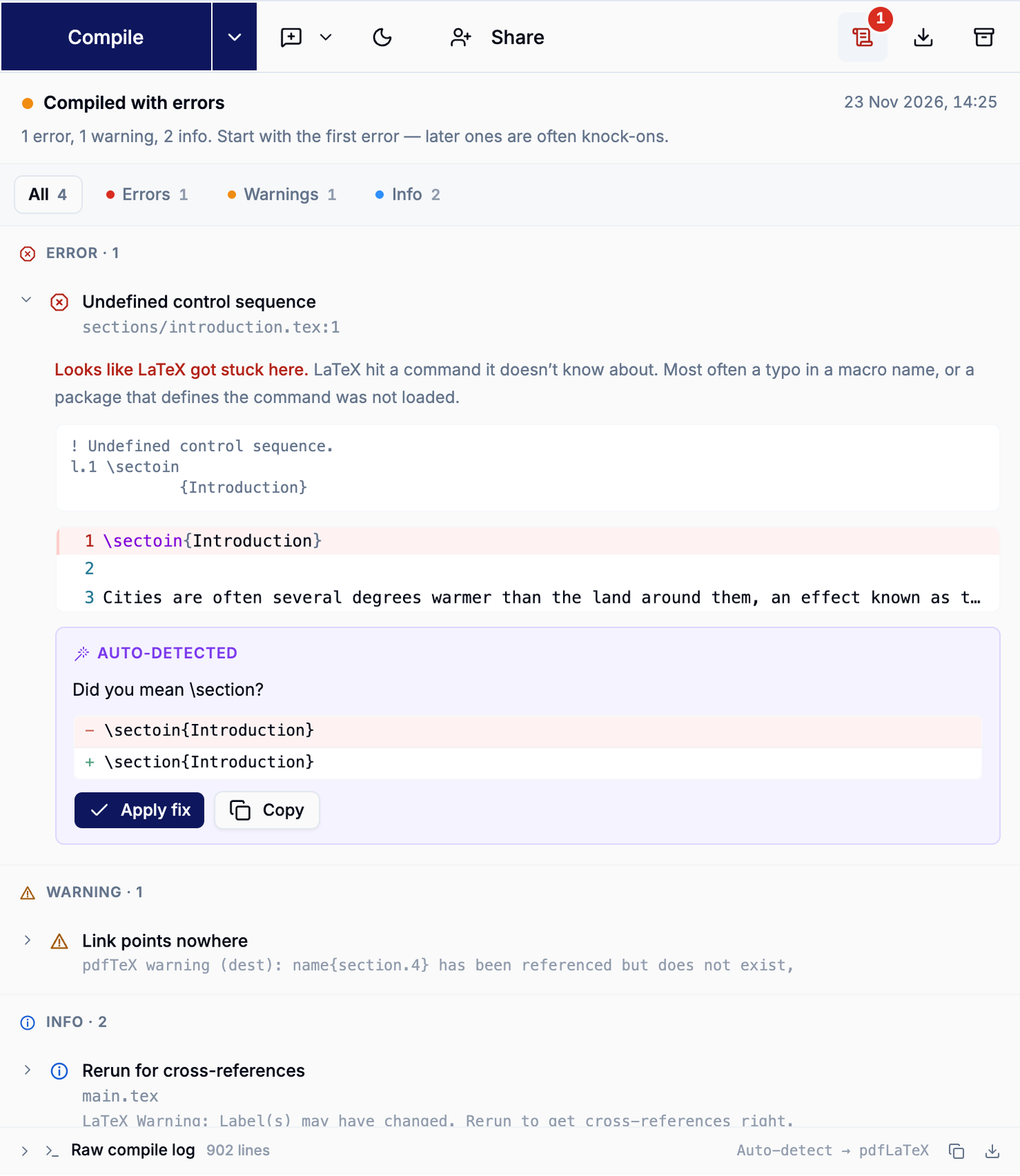
Errors in plain English
A failed compile explains each error next to its line. Commands misspelled by a few letters, and maths commands typed outside dollar signs, get a one-click fix on every plan, with no AI.
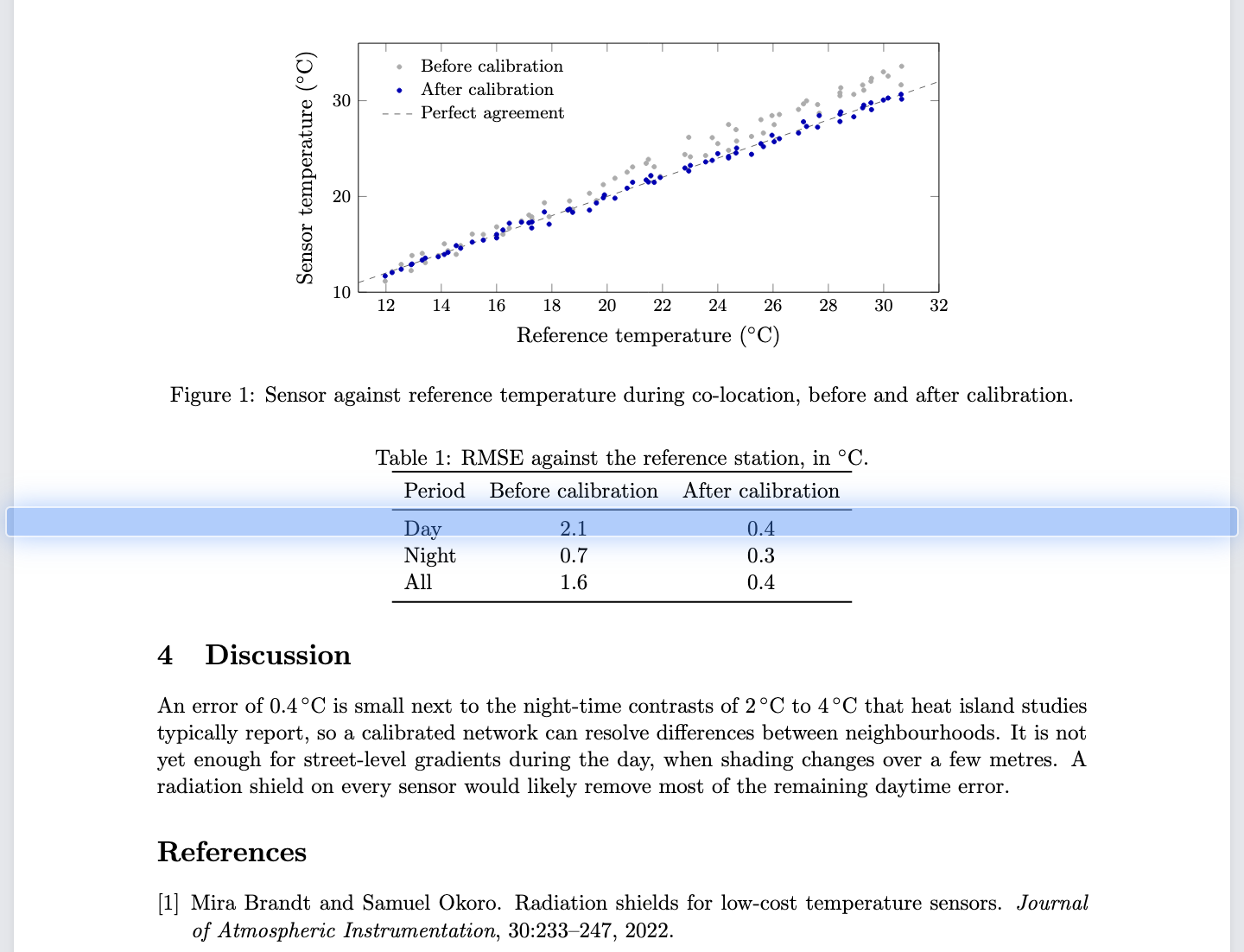
From source to PDF
Show in PDF jumps from the line under your cursor to the same place in the PDF, down to a single table row.
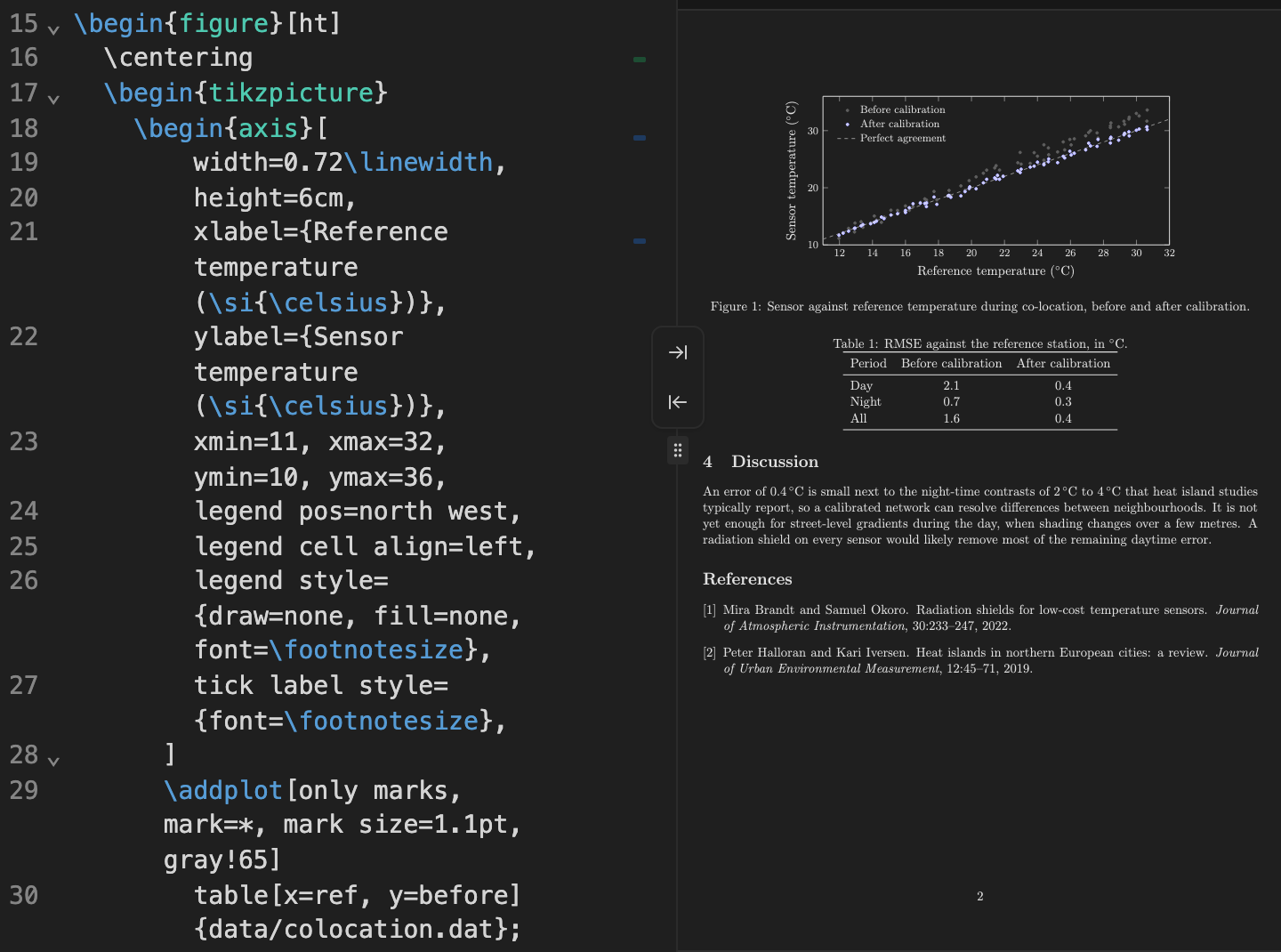
Dark mode
A dark editor theme, and an experimental dark view of the PDF that leaves the downloaded file unchanged.


Your data, your jurisdiction
Built for EU data sovereignty
Research data belongs in your jurisdiction. inscrive.io is developed and operated in Denmark, and your documents are stored and compiled on our servers in the EU.
EU data residency
Documents, backups and logs live in ISO 27001-certified Hetzner data centers in the EU.
GDPR-compliant by design
A data processing agreement we sign with your institution, an independent inspection report and a public privacy notice. Not just a checkbox on a form.
Data integrity & security
Encryption in transit and at rest, continuous backups and full version history. Every change is recorded, recoverable and attributable.

“I have followed inscrive.io since the beginning and their focus, drive and dedication on creating a GDPR-compliant online LaTeX editor is truly inspiring.”

We've got your back
Produce more, worry less
No complex setups, no compliance headaches. Your documents are stored and compiled on our servers in the EU, and everything you need to collaborate on LaTeX is in one place.
GDPR compliance
A DPA signed with your institution, and an independent inspection report to back it up.
Agnostic Git integrations
Any Git provider with a token or password flow — public cloud or self-hosted.
Single sign-on
Control access with your organization's preferred SSO provider.
Advanced version control
Restore any earlier version and compare changes at any time — your work is never lost.
Get stuff done
Everything you need in one secure place
Collaborate
Invite unlimited editors, reviewers and viewers. Write together in real time, then comment and suggest changes in the same document.

Performance
We always push the bar on performance and strive to be the fastest online LaTeX editor.

Beautiful documents
The best typesetting engine, ready to produce publication-grade documents with ease.

Security
Encrypted, continuously backed up and hosted in the EU.

Plays well with your stack
Bring your own Git provider
inscrive.io is Git-agnostic: connect any provider that supports an access token or password flow. No lock-in, no special plugins.

Sync your references, automatically
Authorize your reference manager and inscrive.io keeps a .bib file always in sync — directly with Mendeley or Zotero. Cite as you write, with live IntelliSense
and autocomplete for every external reference.

 Mendeley
 Zotero
One-click authorization
Connect your Mendeley or Zotero account securely — no manual exports, no copy-pasting.
Always-synced .bib
Your bibliography stays current automatically. Add a source in your manager and it lands in your project.
Live IntelliSense
Autocomplete and inline suggestions for every external reference, right as you cite.
For universities, research organisations and public institutions
Centralized user management, SSO, EU data-residency guarantees in contract, and procurement-friendly invoicing. Built for European institutions that take data protection seriously.
- SSO with your identity provider
- Signed DPA and EU data residency
- Central admin and license management
- Invoicing that fits public procurement
Meet our founders
We are a growing team operating out of Aarhus, Denmark — building the LaTeX editor European research deserves.
 Viktor L. AndersenFounder / CEO
 Søren Skou JessenFounder / Compliance Officer
 Kasper Julius HolmFounder / Software Engineer
 Kasper DysagerFounder / Customer Relations


Contact sales
Get in touch to learn how inscrive.io fits your organization.
Write your next paper or thesis on inscrive.io
Free plan: review mode, 10 active projects, unlimited collaborators and 60-second compiles. No credit card required.
Already have an account? Log in